Not allowed to use ChatGPT at work? 4 safe options
Not allowed to use ChatGPT at work? Why employers block ChatGPT, Claude and Gemini, and four safe ways to keep using AI at work without breaking the rules.
If you are not allowed to use ChatGPT at work, the ban is almost never about AI. It is about where your company's data ends up once you paste it into a chatbot your employer has no contract with. You have four honest ways to keep using AI: ask IT for a business account, use a European chat plan your IT team can sign off on, self-host an open-weight model, or use AI only on text that is not sensitive. The one route to avoid is the personal account on your phone.
Why do companies ban ChatGPT, Claude and Gemini?
The famous case is Samsung. In May 2023 the company banned ChatGPT, Bing and Bard on company devices after engineers had pasted internal source code and meeting notes into ChatGPT. The memo's reasoning was not "AI is dangerous". It was that data sent to an external server is hard to retrieve and delete.
Samsung was not alone. Cisco's 2024 Data Privacy Benchmark Study, a survey of 2,600 privacy and security professionals in 12 countries, found that 27% of organisations had banned generative AI at least temporarily, 63% limited what data could be entered, and 61% limited which tools could be used. By Cisco's 2026 edition, outright bans had fallen from 28% to 7% of organisations in one year. Companies did not stop caring. They replaced the ban with rules about which tool and which data.
Blanket prohibitions are difficult to enforce and often misaligned with how AI is used day to day.
That sentence is from Cisco's 2026 report, and it is the whole story. A ban is what a company does before it has an approved alternative. Three concrete worries sit underneath it.
The data leaves the building
A prompt is a copy. Once a customer's email or a paragraph of a contract is pasted into a chatbot, a copy of it exists on a server the company does not control, in a jurisdiction the company did not choose. Inference, the moment the model reads your prompt, happens on that server in plain text. For most US consumer chatbots that server is in the United States.
Consumer terms are not a contract with the company
A personal ChatGPT, Claude or Gemini account is a contract between you and the vendor. Your employer is not party to it. There is no data processing agreement, the document the GDPR requires when a company lets someone else process personal data on its behalf. And depending on the tier and the settings you chose, consumer conversations may be used to improve the vendor's models. The business tiers of all three vendors handle this differently, which is exactly why IT wants you on one of those instead. We covered the account tiers and clauses in detail in is ChatGPT GDPR compliant for company data.
Nobody can see what was pasted
With a personal account there is no log, no retention setting and no way for the company to answer a regulator's question: what did you send, and when? A company cannot protect what it cannot see. The block is a blunt way of making the invisible stop.
What happens if you use it anyway?
Most people do. Microsoft's 2024 Work Trend Index, based on 31,000 knowledge workers in 31 countries, found that 75% of them used generative AI at work and 78% of those brought their own tools rather than waiting for the company to provide one. That is shadow AI: AI use the employer has not approved and cannot see.
Nobody in that 78% is a villain. They have a deadline and the sanctioned option is missing. But it is worth being precise about what you carry when you route around a block:
- The company's GDPR exposure. If the text contains personal data of customers or colleagues, your employer is the controller and is answerable for a processor it never chose. The fine, if there is one, is theirs. The name in the incident report is yours.
- Confidentiality clauses. Most customer contracts promise that their material is only handled by approved parties. A personal chatbot is not one.
- Your own contract. An IT policy you signed is a term of employment. "It was faster" has never been a defence at a disciplinary meeting.
- No way back. As Samsung's memo put it, data on an external server is hard to retrieve and delete. You cannot un-paste.
And the block is usually only on the office network. Your phone works. That is the trap: the policy applies to the data, not to the Wi-Fi.

Before the options, a quick way to think about any single case. Answer the three questions and it tells you whether to go ahead, ask, or stop.
Not with that tool.
Sensitive data plus no contract is exactly the case the ban was written for. Strip the identifying parts out first, or use a tool the company has an agreement with.
The first question outranks the other two on purpose. Illustrative, not legal advice: your own policy is the one that counts.
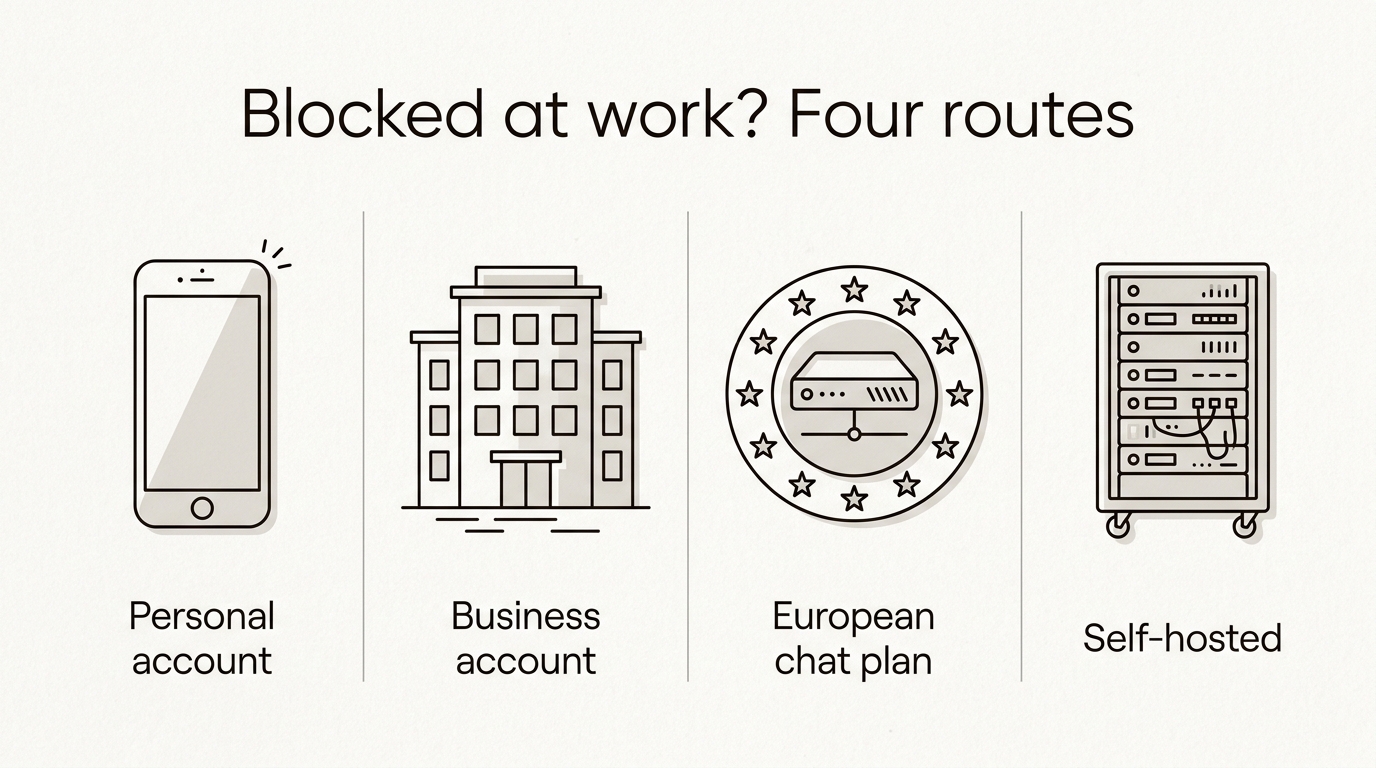
Four ways to use AI at work when ChatGPT is blocked
All four keep you inside the rules. They differ in who handles the data, how long approval takes and what it costs.
1. Ask IT for a business account
ChatGPT Team and Enterprise, Claude's team and enterprise plans, and Gemini inside a paid Google Workspace subscription come with business terms: a processing agreement, no training on your inputs by default, and admin controls. If your company already runs on Microsoft 365 or Google Workspace, this is often the fastest route, because the vendor relationship already exists.
The trade-off is jurisdiction and price. Processing typically stays with a US company, usually in the US, and seats cost more than a consumer plan. For many companies that is acceptable. It should be a decision, not an accident.
2. A European chat plan
This is where Union AI fits, so read this section knowing that. The chat plan is €13 a month excluding VAT, or €11 a month billed yearly, with 2,000 messages and all four model tiers. Every inference runs on infrastructure inside the European Union, and conversations are never used to train a model, on any tier. Business customers get a data processing agreement, and the subprocessors page lists every party in the chain, including the ones with a US parent entity for hosting, database and payments. That last part is what a data protection officer asks about first, so it is answered before they ask.
For a team, extra seats are €10 a month each on one invoice, and the company knowledge add-on (€20 a month) lets the chat answer from your own uploaded documents and name the file it used. The system prompt is published in full, so IT can read exactly what the assistant is told to do.
3. Self-host an open-weight model
The models Union AI runs are open-weight models: their trained weights are published, so your own IT team can run the same models on hardware the company owns. That is the only route where the prompt never leaves the building. It is the right answer for genuinely regulated data, patient records or case files, that should not go to any external processor.
The cost is real: GPUs, someone to maintain the setup, and, unless the hardware budget is large, a smaller model than a hosted service runs. Most teams that go this way run it next to a hosted plan, not instead of one.
4. Use AI, but not with the data
The route that works under almost any policy: use the tool only on text that is public or contains nothing identifying. Rewrite your own draft, brainstorm an outline, explain a regulation, refactor code that is not proprietary. Strip names, account numbers and anything that points at a person before you paste. It is slower and it rules out the most useful cases, which is why it is a stopgap rather than a plan.
| Personal account | Business account | European chat plan | Self-hosted | |
|---|---|---|---|---|
| Who processes the prompt | US vendor, consumer terms | US vendor, business terms | Union AI, inside the EU | Your own servers |
| Contract with your employer | None | Yes | Yes, with DPA | Not needed |
| Trained on your inputs | Depends on settings | No, by default | Never | Never |
| Time to get it | None, which is the problem | Weeks, procurement | Days, one approval | Months |
| Cost | Your own money | Per seat, from about €25 | €13 a month (€11 billed yearly), €10 per extra seat | Hardware and staff |
| Best for | Nothing work-related | Companies already on that vendor | Teams that want EU processing at a low price | Regulated data that must stay in-house |
How to get an AI tool approved at work
If you want the ban lifted rather than dodged, bring IT the answers instead of the request. Six steps, in order.
- Name the data. Write down the three things you actually want to paste. A customer email, a contract clause, a spreadsheet of leads. Approval is about data classes, not about tools.
- Get the subprocessor list. Ask the vendor who processes prompts and where. A vendor without a list is a vendor IT will rightly refuse.
- Get the processing agreement and the training clause. A DPA plus a plain "not trained on customer data" answers most of a data protection officer's checklist.
- Run a two-week pilot with three people. Real tasks, a shared note of what worked and what did not. That note is worth more than any vendor deck.
- Write a one-page usage policy. Which tool, which data classes, who to ask. There is a copyable one in our GDPR post.
- Tell everyone the approved tool exists. Shadow AI is not rebellion, it is the absence of an option. The day the sanctioned tool is announced is the day the personal accounts stop mattering.
Where Union AI fits, and where it does not
Union AI is the logical choice when a team wants the ban lifted with a tool that processes inside the EU, does not train on conversations, publishes its full chain of subprocessors and costs €13 a month, or €11 billed yearly, rather than a per-seat enterprise contract. Approval is short because the uncomfortable questions are already answered on our own pages.
It is not the right choice in three cases. If your work needs the very latest closed frontier model for the hardest reasoning, a business account from a US vendor is still ahead, and we say so in European AI providers compared. If your company needs deep integration with Microsoft 365 or Google Workspace, the vendor's own assistant will fit better. And if your policy requires that no part of the service touches a company with a US parent, we do not qualify: hosting, database and payments in our chain do, and we would rather lose that deal than hide it.
For everyone else: the first 5 messages are free and need no card, which is enough to run the pilot from step four before anyone signs anything.
Frequently asked questions
Can I use Claude at work if ChatGPT is banned?
Usually not, because a ban on ChatGPT is almost always a ban on pasting company data into any consumer AI tool, and Claude, Gemini and Copilot in a personal account fall under the same policy. Read the policy for the words it actually uses; most say generative AI, not ChatGPT. If Claude is not named, ask before assuming it is allowed.
Is it illegal to use ChatGPT at work?
Using ChatGPT itself is not illegal. Pasting personal data of customers or colleagues into a tool your employer has no processing agreement with can put your employer in breach of the GDPR, and pasting confidential material can breach your contract and a customer's confidentiality clause. The legal risk lands on the company; the disciplinary risk lands on you.
What is shadow AI?
Shadow AI is the use of AI tools at work that the employer has not approved, typically a personal ChatGPT, Claude or Gemini account on a phone or home laptop. Microsoft's 2024 Work Trend Index found that 78 percent of people using AI at work bring their own tools. It is common because the sanctioned alternative is often missing, not because people want to break rules.
Will my employer know if I use ChatGPT on my phone?
On your own phone and your own network, probably not, which is exactly why the policy exists rather than a firewall rule. The block on the office network is the reminder, not the control. If the text you paste ever surfaces, in a data breach or a customer complaint, the question will be who pasted it, not how.
What is a safe alternative to ChatGPT for work?
A safe alternative is any AI tool your employer has a contract with that does not train on your inputs and tells you where it processes your data. That can be a business account from a US vendor, a European chat plan like Union AI where inference runs inside the EU for 13 euros a month, or 11 euros a month billed yearly, or a self-hosted open-weight model. Safe describes the contract and the data path, not the brand.
Is Gemini blocked at work for the same reason as ChatGPT?
Yes. Employers block Gemini, Claude and ChatGPT for the same three reasons: the data leaves the company, consumer terms are not a contract with the company, and nobody can audit what was pasted. Gemini inside a paid Google Workspace plan is a different product with business terms, and many companies allow that while blocking the consumer app.
Does a European AI chatbot count as an approved tool?
Only once your company approves it. Being European makes approval easier, because inference inside the EU removes the international transfer question and a complete subprocessor list answers the data protection officer's checklist upfront. Take the list, the processing agreement and the no-training clause to IT; they, not the vendor, decide what is approved.